Switching to Screen Mirroring in DeX
You can switch to screen mirroring to view the device on a larger screen. To learn how to switch to screen mirroring, follow the guide below.
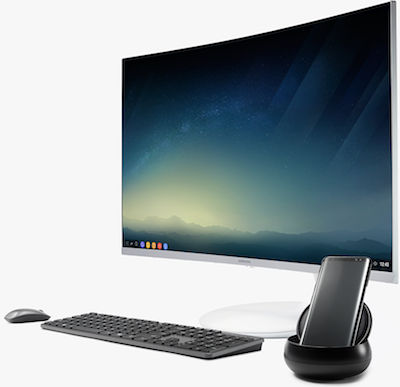
The available screens and settings may vary by wireless service provider and software version.
Switching to Samsung DeX
-
From the phone, swipe down from the Home screen to open the notification panel.
In the notification panel, touch Android System to switch to Samsung DeX.


Switching to Screen Mirroring
-
To switch to screen mirroring mode, click Android System.
-
Click SWITCH TO SCREEN MIRRORING.


Other answers that might help
© 2017 Samsung Electronics America, Inc. SAMSUNG is a registered trademark of Samsung Electronics Co., Ltd.
All other brands, products and services, and their respective trademarks, names and logos, are the property of their respective owners.
The above content is provided for entertainment and information purposes only. Consult user manual for more complete information.
All information included herein is subject to change without notice. Samsung is not responsible for any direct or indirect damages,
arising from or related to use or reliance of the content herein.
How would you like to contact us?
 1-800-SAMSUNG
(1-800-726-7864)
1-800-SAMSUNG
(1-800-726-7864)
Mon - Fri : 8AM -12 AM (EST) Sat - Sun : 9AM -11 PM (EST)
24 hour support available for mobile devices
-
Social Support
Contact us on Twitter or Facebook and we'll reply with an answer to your question or issue.
-
Chat with us
Live Chat support with a Samsung product expert.
-
Send us an Email
We’ll respond within 24 hours of your request.
 /samsungsupport
 @samsungsupport